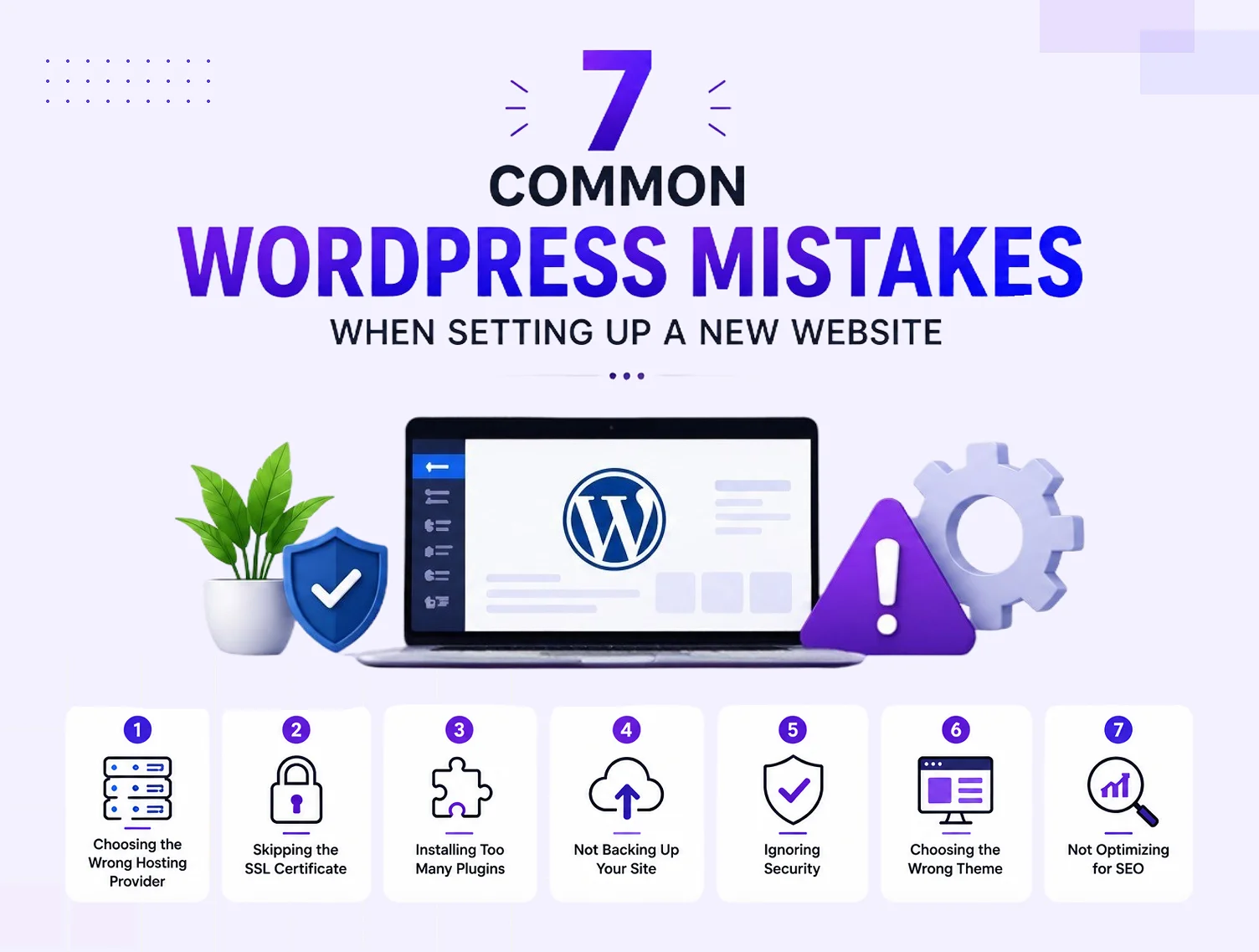
We've inherited a lot of WordPress sites over the years — some beautifully built, others held together with duct tape after a well-meaning owner tried to do it all themselves. The same handful of mistakes show up again and again, and almost all of them are entirely avoidable once you know to look for them. Here's what to watch for, whether you're managing your own site or just want to sanity-check what your developer's given you.
Installing too many plugins
It's tempting to solve every small problem with a new plugin, but each one adds weight, potential conflicts and another piece of software that needs updating. A Newcastle retail site we once took over had over 40 active plugins, several doing overlapping jobs and a few nobody could explain the purpose of.
Audit your plugins regularly and remove anything that's inactive, redundant or no longer needed. A leaner site is faster, more secure and easier to maintain. Our guide to the best WordPress plugins for business covers which ones actually earn their place.
Ignoring updates
Skipping WordPress, plugin and theme updates is the single most common cause of both security breaches and mysterious site breakages. Owners often delay updates out of fear something will break — understandably, since updates occasionally do cause conflicts — but the fix is a proper backup and staging process, not avoidance.
Set a regular schedule, ideally weekly, to review and apply updates, and always have a recent backup before you do. See our WordPress maintenance checklist for a routine that removes the guesswork.
No backup strategy at all
We still meet business owners who've never once checked whether their site is being backed up, or assume their host handles it automatically when it doesn't. The first time this becomes a problem is always the worst possible time — after a hack, a bad update or accidental deletion, with no way back.
Automated, offsite, tested backups should be non-negotiable for any business website. Our WordPress backup guide walks through exactly how to set this up properly.
Using cheap, generic hosting
Website hosting is one of those costs businesses try to minimise, but it's a false economy. Cheap, oversold shared hosting is slower, less secure and offers far weaker support when something goes wrong, compared to hosting built specifically for WordPress.
A slow host drags down your page speed no matter how well the site itself is built, which affects both rankings and how many visitors stick around — see our Core Web Vitals guide for why that matters so much.
Neglecting image optimisation
Uploading full-resolution camera photos straight into WordPress is one of the most common — and most damaging — habits we see. A single unoptimised hero image can add several seconds to a page's load time, which is more than enough to lose an impatient mobile visitor.
- Resize images to the actual dimensions they'll display at.
- Compress images before or after upload.
- Use modern formats like WebP where your theme supports it.
- Add descriptive alt text for accessibility and SEO.
Skipping mobile testing
Most traffic to an average Australian small business site now comes from phones, yet it's still common to find sites that were only ever checked on a desktop monitor. Menus that don't collapse properly, text that's too small, buttons crammed too close together — all of it quietly costs enquiries.
Test every page on an actual phone, not just a resized browser window, before calling a site finished. Our website accessibility guide covers related issues worth checking at the same time.
Weak or duplicated login credentials
Sharing one generic "admin" login among staff, or reusing the same password across multiple systems, is a security incident waiting to happen. It also makes it impossible to know who made a change when something goes wrong.
Give every user their own account with an appropriate permission level, use strong unique passwords, and enable two-factor authentication. Our WordPress security best practices guide covers this in full.
Letting SEO basics slip
Missing meta titles, no alt text, broken internal links, duplicate page titles — these small technical gaps add up to a site that struggles to rank no matter how good the content is. Because WordPress makes on-page SEO easy to manage with the right plugin, there's rarely a good excuse for these basics being skipped.
Common mistakes at a glance
| Mistake | Why it's a problem | Simple fix |
|---|---|---|
| Too many plugins | Slower site, more conflicts, harder to maintain | Regular plugin audit |
| Skipping updates | Security holes and compatibility issues | Weekly update routine with backups |
| No backups | No way back after a hack or mistake | Automated, tested, offsite backups |
| Cheap hosting | Slow speeds, weak support, security gaps | Managed WordPress-specific hosting |
| Unoptimised images | Slow page loads, poor mobile experience | Resize, compress, use modern formats |
| No mobile testing | Broken layouts on the majority of visitors | Test every page on a real phone |
| Weak logins | Security risk, no accountability | Unique accounts, strong passwords, 2FA |
| Ignored SEO basics | Missed ranking opportunities | Titles, meta descriptions, alt text, internal links |
Key Takeaways
- Most WordPress problems come from neglect, not the platform itself.
- A lean plugin list and a regular update routine prevent the majority of issues.
- Backups and quality hosting are cheap insurance against expensive disasters.
- Mobile testing and image optimisation directly affect both user experience and rankings.
Frequently Asked Questions
What is the most common WordPress mistake?
Skipping updates is probably the most common and most costly mistake, since it leaves known security vulnerabilities open and often leads to compatibility problems that are harder to fix the longer they're left. A simple, regular update routine avoids most of it.
How many plugins is too many for a WordPress site?
There's no fixed number, but if you can't explain what each active plugin does or several overlap in function, you likely have too many. Focus on quality, well-maintained plugins that each do one job well, and remove anything redundant.
Why is my WordPress site slow?
Common causes include cheap hosting, unoptimised images, too many plugins, and a bloated page builder or theme. Working through each of these systematically usually resolves the majority of speed issues — our guide on how to speed up a WordPress website covers the process in detail.
Do I really need backups if my host says they back up my site?
It's worth confirming exactly what your host backs up, how often, and how easily you can restore it yourself, because "we back up your site" can mean very different things between providers. An independent backup solution gives you a guaranteed safety net regardless of your host's policy.
Is it a mistake to build a WordPress site myself?
Not necessarily — plenty of simple sites are built successfully by business owners. The risk is in not knowing what you don't know, particularly around security, performance and SEO fundamentals, which is where a lot of DIY sites quietly underperform.
How do I know if my WordPress site has SEO mistakes?
Check that every page has a unique title and meta description, that images have alt text, that internal links work, and that your site loads quickly on mobile. Our WordPress SEO checklist gives you a full list to work through.
Should I test my website on my own phone before launch?
Yes, always, along with a few other real devices if you can. Resizing a desktop browser window doesn't accurately reflect how a phone renders fonts, spacing, tap targets and menus, so an actual device test catches issues a simulation misses.
Get a WordPress site built without the shortcuts
Most WordPress mistakes are the result of rushing or going it alone without the right guidance — not a lack of good intentions. If you'd like a WordPress site built properly the first time, without the mistakes to fix later, have a chat with Pixel and Pine.


