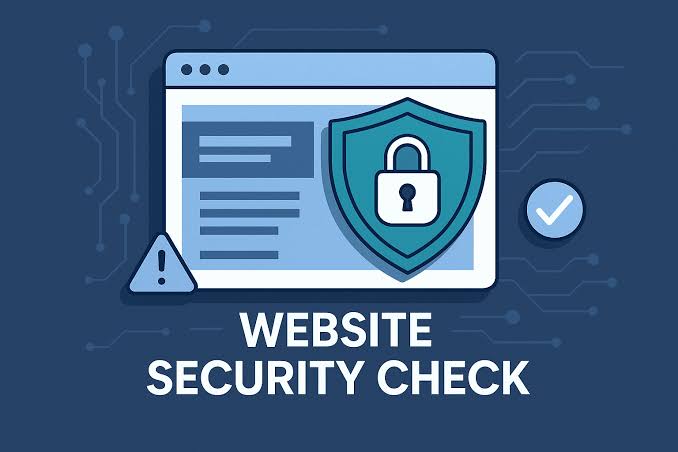
Good website security is no longer just an IT concern; it is part of running a trustworthy business online, protecting your customers, your reputation and your revenue. If you sell, book or simply collect enquiries through your site, a small problem can quickly become an expensive one. The good news is that most of the risks are well understood, and the protections are surprisingly achievable for a small or medium-sized business.
This guide walks you through the threats in plain English, then gives you practical, no-jargon steps to lock things down. You do not need to be technical to follow along, and you certainly do not need to panic.
Why Website Security Matters for Australian Businesses
A website is often the first place a potential customer meets your brand. If it is defaced, slowed by an attack, or quietly leaking data, the damage goes well beyond the technical fix. Customers lose confidence, search rankings can suffer, and you may have obligations under the Australian Privacy Act and the Notifiable Data Breaches scheme if personal information is exposed.
The Australian Cyber Security Centre (ACSC) regularly reminds small businesses that they are common targets precisely because attackers assume their defences are weak. Treating website security as an ongoing habit, rather than a one-off task, is the single biggest mindset shift that keeps you ahead. Think of it like locking up your shopfront at night: simple, routine, and well worth the few minutes it takes.
The Common Threats to Understand
You cannot defend against what you do not recognise. Here are the threats most likely to affect an everyday business website.
Malware
Malware is malicious code that gets onto your site, often through an outdated plugin or a compromised password. It can redirect your visitors to dodgy pages, steal data, or hide spam links that quietly damage your search rankings. Frustratingly, an infected site can look completely normal to you while doing harm in the background.
Brute-force attacks
A brute-force attack is an automated bot trying thousands of username and password combinations until one works. Sites with a predictable admin login and a weak password are the easiest targets, and these attacks run constantly in the background of the internet.
Outdated software
Most websites run on a content management system (such as WordPress) plus themes and plugins. When these are not updated, known security holes stay open. Attackers actively scan for sites running old versions because the weaknesses are publicly documented and easy to exploit.
Phishing
Phishing tricks a person, rather than a machine. An email pretending to be your host, your bank or a colleague convinces someone to hand over login details or click a harmful link. Because it targets people, even a perfectly patched website can be compromised through a single moment of inattention.
DDoS attacks
A distributed denial-of-service (DDoS) attack floods your site with fake traffic until it slows to a crawl or goes offline. For an online store or booking-based business, even a short outage during a busy period can mean lost sales and frustrated customers.
| Threat | What it puts at risk | Your main protection |
|---|---|---|
| Malware | Customer data, reputation, search rankings | Updates, malware scanning, secure hosting |
| Brute-force attacks | Admin access, full site control | Strong passwords, 2FA, login limits |
| Outdated software | Whole site via known exploits | Regular updates and patching |
| Phishing | Login credentials, internal accounts | Staff awareness, 2FA, verifying requests |
| DDoS | Uptime, sales, customer trust | WAF/firewall, quality hosting, CDN |
Practical Protections That Make the Biggest Difference
You do not need every tool on the market. The following measures, applied consistently, will put you ahead of the vast majority of small business websites.
Use HTTPS and a valid SSL certificate
HTTPS encrypts the connection between your visitor and your site, so information like contact details and payments cannot be easily intercepted. It is shown by the padlock in the browser and is now expected by both customers and search engines. Most reputable hosts include a free SSL certificate, so there is rarely a cost barrier; the key is making sure it is installed and renewing automatically.
Strong passwords and two-factor authentication
Weak, reused passwords are behind a huge share of website breaches. Use a password manager to generate long, unique passwords for every account, and turn on two-factor authentication (2FA) wherever it is available. With 2FA enabled, a stolen password alone is not enough to get in, which neutralises most brute-force and phishing attempts in one move.
Keep everything updated
Updates are not just about new features; they often close security holes. Set a regular schedule to update your CMS core, themes and plugins, and remove anything you no longer use. If you run WordPress, our WordPress Maintenance Checklist lays out a simple routine you can follow each month so nothing slips through the cracks.
Back up regularly (and test the backups)
A reliable backup is your safety net. If something does go wrong, a recent backup lets you restore your site quickly instead of rebuilding from scratch. Aim for automated, off-site backups, and occasionally test that you can actually restore one. A backup you have never tested is really just a hopeful guess.
Add a web application firewall (WAF)
A WAF sits in front of your website and filters out malicious traffic before it reaches you. It can block common attack patterns, slow down brute-force bots, and help absorb DDoS attempts. Many security services and content delivery networks bundle a WAF, making it one of the highest-value protections for the effort involved.
Apply least-privilege access
Give each person only the access they genuinely need. Not everyone requires full administrator rights; a content editor rarely needs the keys to the entire site. Fewer high-level accounts means fewer ways in, and when a staff member leaves, removing their access promptly closes an easily forgotten gap.
Choose secure, reputable hosting
Your host is the foundation everything else sits on. Quality hosting includes server-level firewalls, regular patching, isolation between sites and prompt support when something goes wrong. It is worth comparing providers carefully; our guide to the best web hosting in Australia covers what to look for so you are not trading a few dollars in savings for weaker protection.
Run malware scanning
Regular scanning checks your site for malicious code and flags problems early, often before they cause visible damage. Many security plugins and hosting plans include automated scans with alerts, so you find issues on your terms rather than discovering them when a customer complains.
Set security headers
Security headers are small instructions your site sends to browsers that help prevent certain attacks, such as content being loaded from untrusted sources. They are invisible to visitors but add a meaningful layer of defence, and a developer can configure them once as part of your setup.
A Simple Website Security Checklist
Use this as a quick self-audit. If you can tick most of these, you are in good shape.
| Task | How often | Done? |
|---|---|---|
| Confirm HTTPS/SSL is active and auto-renewing | Quarterly | |
| Update CMS, themes and plugins | Monthly | |
| Verify automated backups are running | Monthly | |
| Review user accounts and remove unused access | Quarterly | |
| Enforce strong passwords and 2FA for all logins | Ongoing | |
| Check WAF/firewall is active | Quarterly | |
| Run a malware scan | Monthly | |
| Confirm security headers are in place | After any major change |
Building good security habits into your routine is far easier than recovering from an incident. If you are planning bigger changes, it is also the perfect time to bake in protections from the start, as our website redesign checklist explains.
Frequently Asked Questions
How much does website security cost in Australia?
It varies widely depending on your site and risk profile, but the essentials are more affordable than most people expect. Free SSL, a password manager, 2FA and disciplined updates cost little beyond your time, while a WAF, premium backups or managed security might run from a modest monthly fee into the hundreds of dollars. For a sense of where security fits into the bigger picture, see how much a website costs in Australia.
Is my small business website really a target?
Yes, and often more so than large companies. Most attacks are automated and indiscriminate, scanning the entire internet for any site with a known weakness. Attackers do not need to single you out; they simply find the unlocked doors, which is exactly why consistent website security matters for businesses of every size.
What should I do if my website is hacked?
Stay calm and act quickly. Take the site offline if needed, change all passwords, and contact your host or a security professional. Restore from a clean backup, identify how the breach happened so it cannot recur, and check whether you have any reporting obligations under the Notifiable Data Breaches scheme if personal information was involved.
Do I still need security if I use a website builder or managed platform?
Yes. Managed platforms handle some of the heavy lifting at the server level, but you are still responsible for strong passwords, 2FA, careful user access and being alert to phishing. Website security is always a shared responsibility between the platform and you.
Let's Make Your Website Safer Together
Website security does not have to be overwhelming, and you do not have to tackle it alone. Whether you want a quick health check, ongoing maintenance or a complete review of your defences, the team at Pixel and Pine can help you put sensible, proportionate protections in place. Have a look at our services or get in touch for a friendly, no-pressure chat about keeping your site secure.